Lesson 9 of 64 Module 2: Asking well
Asking for the answer in the shape you need
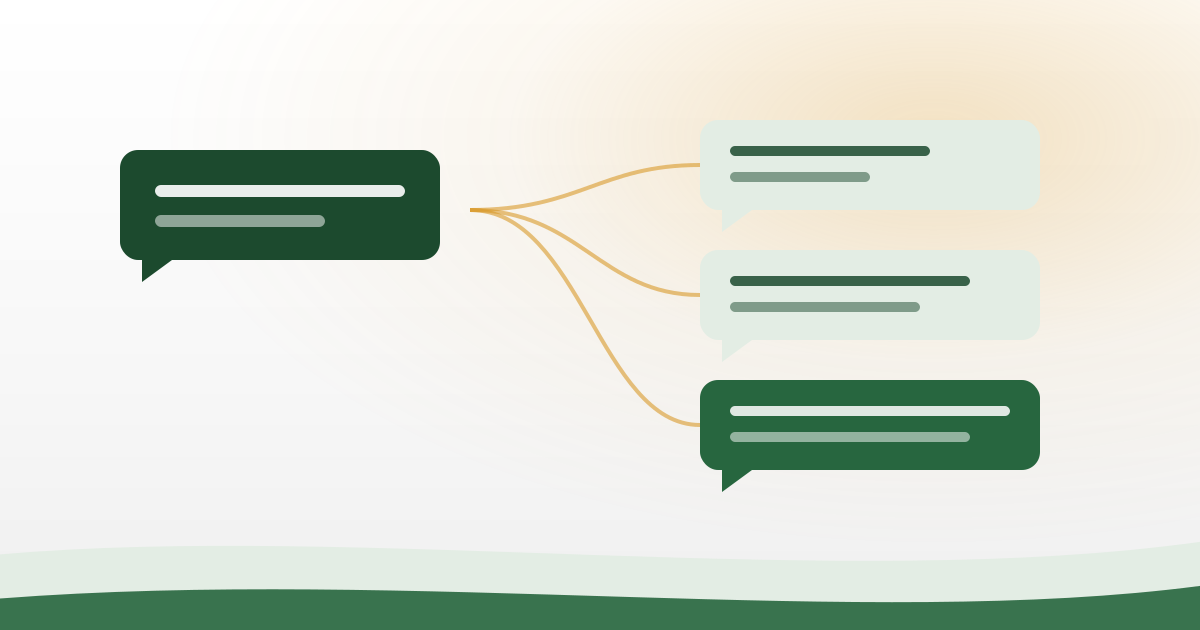
After this lesson you can
- Get a table, a list or a short paragraph on demand.
- Stop long answers you cannot read on a phone.
- Set the reading level so you actually understand it.
- Ask for three options instead of one you cannot judge.
Read first: How to ask so you get a useful answer
You ask one question and the answer fills the whole screen. You scroll. You scroll again. The one line you needed is in there somewhere, and you cannot find it.
This lesson is about the second half of a request. Not what you ask, but the shape you want back.
The most common complaint has a one line fix
Ask people what annoys them about these apps. Most say the same thing. The answers are too long.
On a computer a long answer is fine. On a phone at night it is a wall. The useful part gets lost inside it. You also spend data loading text you will never read, which matters on a small daily pack. The lesson on using AI without finishing your data covers that side of it.
The fix is not a different app. It is one more sentence at the end of your request.
Lesson eight taught you the five things a good request contains. Shape is one of them. Here are the exact words that control it.
Copy these lines. Change the words inside the brackets.
Give the answer as a table.
Columns: [Option], [Good point], [Bad point].
Maximum five rows.
No extra text before or after the table.
Give exactly five numbered steps. One line for each step.Keep it under eighty words.Each line does one small job. Naming the columns fixes the shape. Capping the rows stops it growing. The last line is the one beginners forget.
That last line removes the friendly paragraph before the table and the summary after it. Without it you still get a wall, with a table sitting in the middle.
Notice what these lines have in common. Every one of them can be counted. Five rows can be counted. Eighty words can be counted. A word like short cannot.
Put the shape line at the end, under your question. Your question comes first, then how you want it back. Do not mix the two into one long sentence.
Pick one shape, not three. Asking for a table and steps and a summary in the same message spreads the answer thin. You get a little of each and none of it well.
Which shape for which job
Three shapes cover almost everything you will ask.
Use a table when you are comparing things. Two crops, three exams, four ways of doing one job. A table forces the machine to fill the same boxes for each one, so nothing gets a longer sales pitch than the others.
Use numbered steps when something has to be done in order. Filling a form. Setting up an app. Solving a sum. Say exactly how many steps you want, or you will get fourteen.
Use a short paragraph when you only want to understand an idea. Here a table would chop the idea into pieces and lose it.
If you are not sure which to ask for, ask yourself what you will do with the answer. Reading it once means a paragraph. Following it means steps. Choosing between things means a table.
A wall of text, turned into a table
Here is a real before and after. A student types this.
Explain the main tenses in English.What comes back is not wrong. It is just unusable on a phone. It begins like this.
Tenses are a way of showing time in English. The simple present is
used for habits and for things that are always true, for example
when we say that the sun rises in the east, and it is also used...
That went on for two more screens. Now the same student adds two lines.
Explain the main tenses in English.
Give the answer as a table. Columns: Tense, Example sentence, When to use it.
Exactly six rows. No extra text before or after the table.
Same question. Same app. This comes back instead.
| Tense | Example sentence | When to use it |
|---|---|---|
| Simple present | I go to the field every morning. | A habit, or something always true |
| Present continuous | I am going to the field now. | Happening at this moment |
| Simple past | I went to the field yesterday. | Finished, in the past |
| Past continuous | I was going to the field when it rained. | Was going on when something else happened |
| Simple future | I will go to the field tomorrow. | It has not happened yet |
| Present perfect | I have finished my homework. | Done, and it still matters now |
The whole thing now fits on one screen. You can read a row while you walk. You can copy it straight into your notes app. If you are working on your English, the English practice lesson leans on this shape a lot.
One honest note. A table can still hold a wrong fact. The shape does not check the facts for you. It makes them readable, and it makes them easy to check. Researchers have tested many small changes to prompts. Most changed very little. But taking the format instruction out made answers worse. So keep that line in.
Say the reading level in rules it can count
“Explain it like I am in class 8” feels like a clear instruction. It is not.
The machine has never met a class 8 student from your school. It has no way to test its own writing against one. So it writes what it thinks that phrase means, and it drifts upward.
This has been measured. Systems were asked to explain things at a school level. The writing came back several levels harder than the level asked for. Two of the systems tested gave high school writing no matter which level was requested.
So give rules that can be counted.
That was too hard for me. Write it again. Rules:
Sentences under fifteen words.
Only common words.
Explain any hard word in brackets.
Under two hundred words.
Sentence length can be counted. Word count can be counted. A class cannot.
Expect to send this twice on a hard topic. The second try is normal. It is not a sign that you asked badly.
Ask for three options, not one answer
One answer is very hard to judge. You have nothing to hold it against. So you either believe it or you ignore it, and neither is thinking.
Ask for three instead.
Give me three different options.
For each one write: what to do, one good point, one bad point.
Then say which one you would pick, and why.
Now you are the one choosing. You can see what each option costs you. You can throw out the two that do not fit your situation, because you know your situation and the machine does not.
This works well for practical questions. Which subject to begin with. How to arrange a week of study. How to word a message to a shopkeeper.
It works well with a table too. Ask for three options as three rows, with a column for the good point and a column for the bad point. Then the whole choice sits on one screen.
There is a second gain here, and it is quiet. Reading three options teaches you what the trade off actually is. One answer never shows you that.
Three options do not make any of the three correct. For money, medicine, law and government schemes, check the office or the official site before you act on any of them.
Make it mark what it is unsure about
Add this line to anything that carries facts.
If you are not sure about something, write NOT SURE next to it.
Do not guess.
Why is that needed at all? Think of a student in an exam with no negative marking. A blank answer scores zero. A guess might score. So the student fills every box.
These models were graded in much the same way while they were being built. Saying “I do not know” earned nothing. A guess sometimes earned marks. Guessing became the habit.
Your line gives it a way out of that habit. In a table it fits neatly. Add a fourth column and call it Sure or not sure.
The lesson on why AI makes things up takes that guessing habit apart properly.
Why a table is easier to check, and where to go next
This is the part most people miss, and it is the real reason to ask for shape.
In a paragraph, claims hide inside sentences. Three facts and an opinion can share one line. To check it you have to read it three times and pull the claims out yourself.
In a table, one row holds one claim. You check row one. Then row two. You can tick the rows you already know, and mark the two you have to look up.
You can also see what is missing. An empty cell shows you the gap straight away. In a paragraph that gap is simply not written, and you never notice it.
That habit is the whole of module four. The two chat test and three other checks shows you what to do with the rows you marked. Your checking habit on one page fits on one screen of your notes app.
Four lines do almost all the work here. Give the answer as a table with these columns. Give exactly five numbered steps. Keep it under eighty words. No extra text before or after.
Then two more for anything that matters. Sentences under fifteen words. If you are not sure, write NOT SURE.
You now control what you ask and the shape it comes back in. The next big jump is not in your typing at all. It is in what you hand over with the question: your own notes, your textbook page, a photo of a form. That is giving it your own book, notes or photo, and it changes answer quality more than any wording trick.
Before you go there, do the practice task below. It takes ten minutes and one question you already care about.
Do this now
Ask the same question twice, once with a shape
- Think of one question you actually want answered today.
- Type the question. Under it add this line: give the answer as a table with three columns and no more than five rows.
- Read what comes back. See how much of it you can really use.
- Open a new chat. Type the same question with no shape line at all.
- Put the two answers side by side. Decide which one you could show to someone at home.
Remember this much
- The shape line goes at the end of your request. It is one sentence, not a new app.
- Name the columns, cap the rows, and add: no extra text before or after.
- Do not say explain like class 8. Say sentences under fifteen words.
- Ask for three options with one good point and one bad point each.
- Add: if you are not sure, write NOT SURE. Do not guess.
- A table is easier to check than a paragraph, because one row holds one claim.
Questions people ask
How do I get ChatGPT to answer in a table?
Add one line under your question. Write: give the answer as a table, with these columns, and name them. Then add a row limit, like maximum five rows. Finish with: no extra text before or after the table.
How do I stop AI giving such long answers?
Put a word limit in the request itself. A line like keep it under eighty words works better than asking for a short answer. Short means nothing to the machine. Eighty words can be counted.
Why does it still use hard words after I ask for simple English?
Because a level like class 8 is not something it can check itself against. Give rules it can count instead. Sentences under fifteen words, only common words, hard words explained in brackets.
Should I ask for steps or a paragraph?
Ask for numbered steps when you have to do something in order. Ask for a table when you are comparing things. Ask for a short paragraph when you only want to understand an idea.
Does asking for a table make the answer more correct?
Not on its own. It makes the answer easier to read and much easier to check. The facts inside can still be wrong, so check the rows that matter before you act on them.
Prices, free limits and app screens change often. The facts in this lesson were checked on 9 August 2026. If what you see on your phone looks different, trust your phone and read the idea, not the exact button name.